
Automate appointments on WhatsApp: booking, reminder and open slots
How to automate booking, confirmation, reminders and rescheduling on WhatsApp, with templates and the split between AI and people.
Booking by phone is a waiting sport. Booking on WhatsApp is what people already do: "do you have a slot on Thursday?". Automating appointments on WhatsApp means that sentence actually books, the reminder goes out by itself and, if someone cancels, the slot is offered to someone else.
It works for clinics, salons, garages, academies, estate agencies (viewings) and any team with a calendar. Healthcare has its own guide: WhatsApp for clinics.
The three pieces
- Calendar. Yours: Google Calendar, your practice software, or the CRM's. It is the source of truth.
- Inbox. A shared inbox where the team sees every conversation and who owns it.
- Rules. What gets confirmed, when reminders go out and what happens when someone cancels.
Without the first you automate theatre: "appointment confirmed" in a slot that does not exist. Before touching WhatsApp, check that the calendar reflects real availability, breaks and absences included.
The full flow
| Moment | Message | Type |
|---|---|---|
| Customer asks for an appointment | Offer of two or three slots | Free reply (window open) |
| They pick a slot | Confirmation with date, time and address | Free reply |
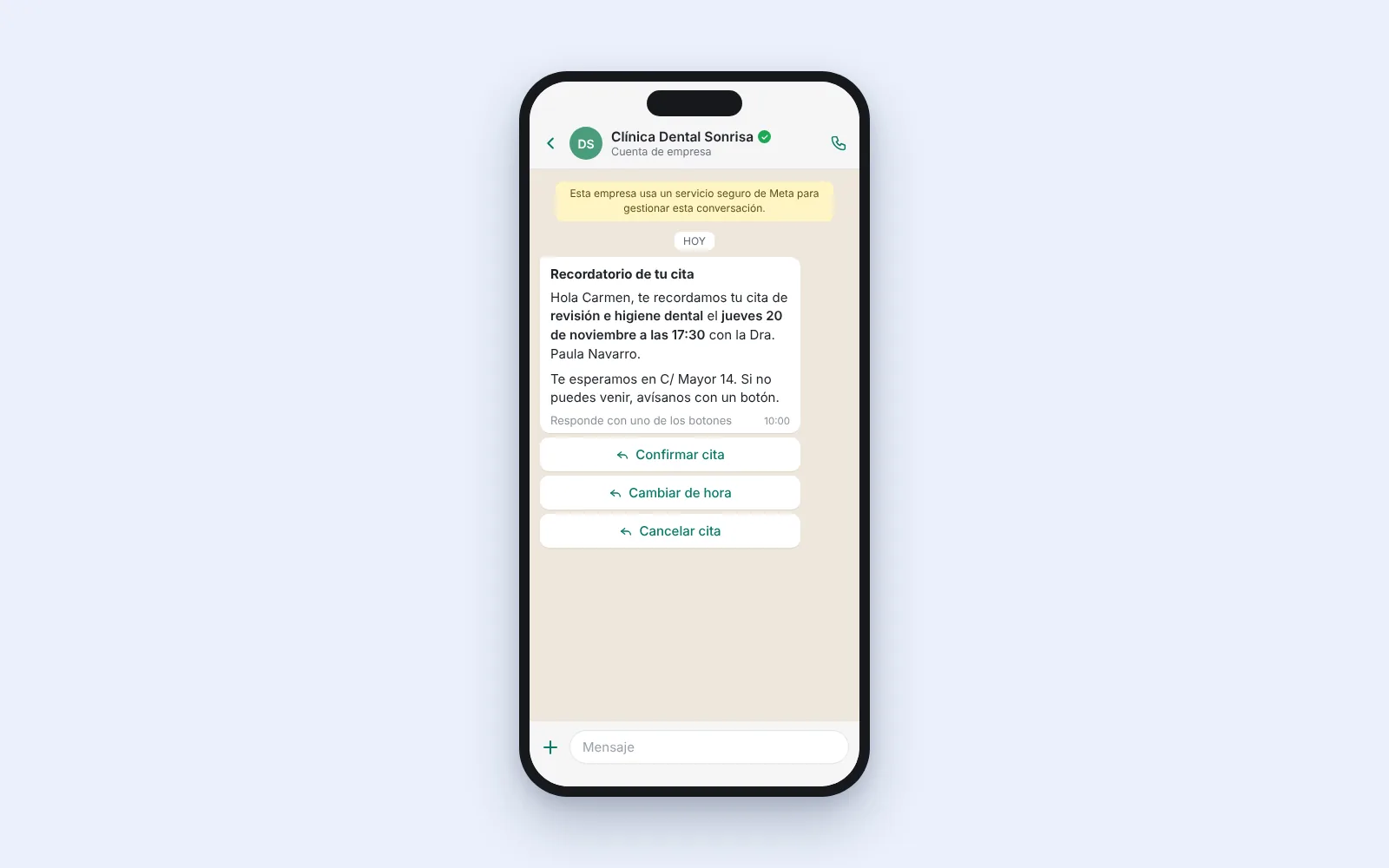
| 24 hours before | Reminder with buttons | Utility template |
| No confirmation, or a cancellation | Offer of a new slot | Template or free reply |
| Slot freed up | Notice to the waitlist | Utility template |
| After the appointment | Request for feedback | Template |
The "type" column matters: as long as the customer has written to you in the last 24 hours you can reply in free text. Outside that, anything you start is an approved template.
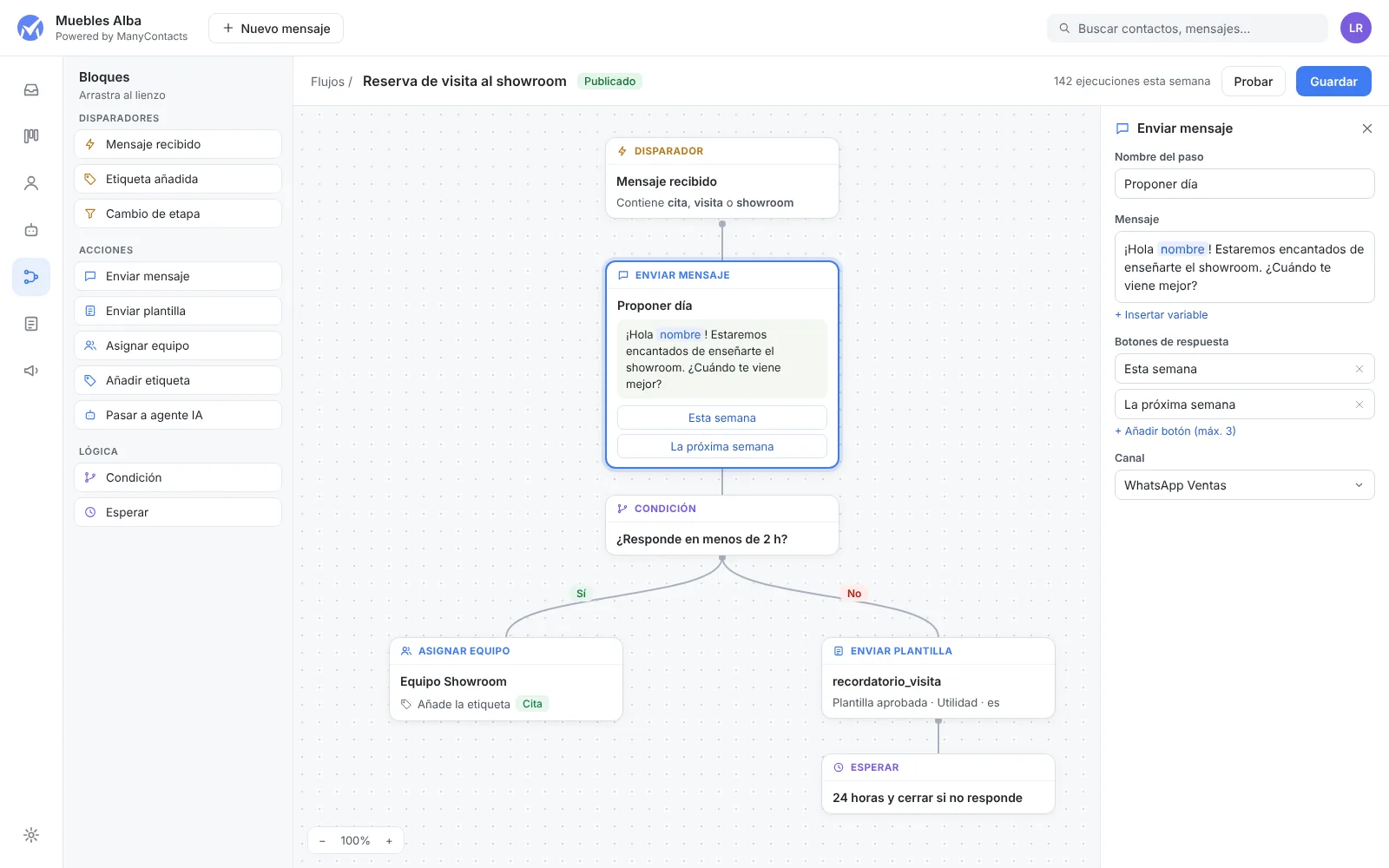
What to automate and what not to
| Yes | No |
|---|---|
| Offer two or three slots | Let them pick any time this month |
| One reminder 24 hours before | Five reminders |
| Cancellation with an offer of another slot | Diagnoses or complex quotes |
| Ask for location or professional | A twelve-button tree |
Offering few slots is not a limitation. It is what makes the customer decide. "Thursday at 10:00 or Friday at 12:00?" is answered in one tap. "When suits you?" opens a six-message negotiation.
Starter templates
Reminder
Hi {{1}}, a reminder of your appointment tomorrow, {{2}} at {{3}}, at {{4}}. Can you confirm you are coming?
With "Confirm" and "Change appointment" buttons.
Open slot for the waitlist
Hi {{1}}, a slot has opened up on {{2}} at {{3}}. Do you want it? Reply YES and we will hold it for you.
After the appointment
Hi {{1}}, thanks for coming in today. Could you take a minute to tell us how it went? {{2}}
Keep each template to a single purpose. A reminder with a promotion inside stops being utility: Meta may recategorise it as marketing, it costs more and it needs consent.
The role of AI
An AI agent fits the repetitive part: understanding "do you have anything Thursday afternoon?", checking availability, proposing slots and confirming. It also answers the usual questions: address, parking, opening hours.
What it should hand to a person:
- Any emergency or sign of distress.
- Quotes that depend on an assessment.
- Complaints.
- Changes that affect several appointments or several professionals.
The handoff has to be visible: "I'm passing you to Laura at reception, who will confirm that now." A customer left hanging by the AI does not write again.
How to actually reduce no-shows
The reminder works: in clinics using ManyContacts, around 75% of patients reply to the reminder. But what reduces no-shows most is making it easy for those who are not coming:
- A change-appointment button in the reminder. People who cannot come will tell you if it costs one tap.
- A waitlist. Every cancellation with notice becomes an appointment for someone else.
- Mandatory confirmation for long or first-visit appointments: if they do not confirm, you write once more and release the slot.
Measure your no-show rate before you start. Without that figure you cannot tell what changed.
Cost
Each utility template costs €0.0166 in Spain as of 1 October 2026, excluding VAT. Replies inside the window are free up to 1,000 per number per month and cost the same after that. Details in WhatsApp API pricing. ManyContacts starts at €49/month with 3 users, with calendar and scheduled messages included. AI is charged separately, at €0.20 per conversation it handles.
Frequently asked questions
Can I automate appointments with the WhatsApp Business app?
The app has a greeting message, an away message and quick replies, but it does not check a calendar or send scheduled reminders per appointment. For that you need the API through a platform.
Which calendar do I need?
The one you already use, as long as it reflects real availability. What matters is having one diary, not one on paper and another on the computer.
How many reminders should I send?
One, 24 hours before, with buttons to confirm or change. For first visits or long appointments a second notice on the day can make sense.
What if the customer replies out of hours?
The AI can confirm or reschedule on the spot. If a person is needed, the conversation stays assigned and visible for the first shift.
Next step
Count one week of "can I get an appointment?" calls and messages. That is the volume you are going to automate. Try ManyContacts or book a demo.